Flipkart 100×150 mm thermal label guide
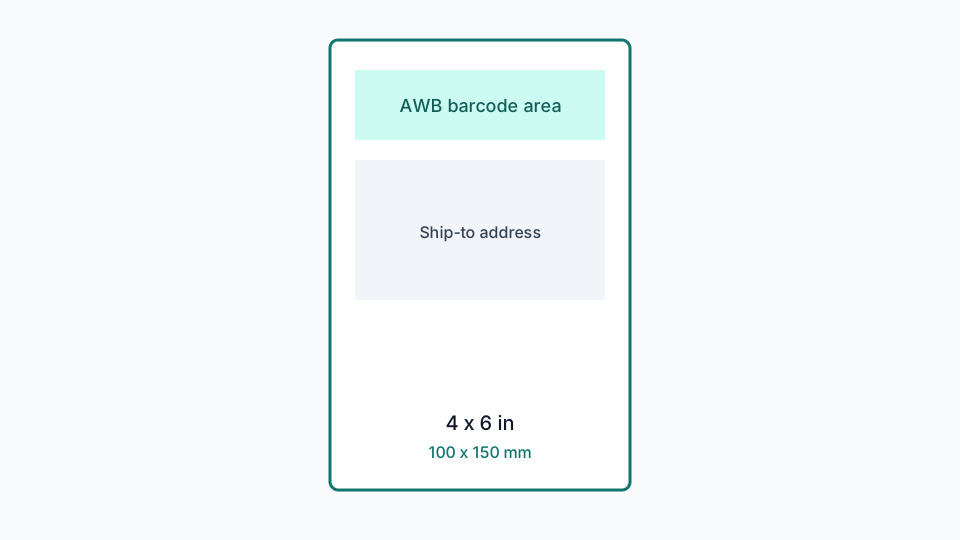
100×150 mm is the millimetre name for the 4×6 Flipkart labels sold across India. The PDF you print must use that page size, not just look similar on screen.
Updated 22 August 2026
How it works
LabelWizard writes PDF pages at 100 × 150 mm using the PDF point system (72 points per inch). That is a real page box, not a screenshot pasted onto A4.
DPI
Most desktop thermal printers in this class run at 203 DPI. That is enough for AWB barcodes when the geometry is not scaled down. Cropping from the original PDF is preferable to a phone photo.
Quiet zone
Leave a small unprinted margin around the barcode. The cropper adds a configurable safety margin so detection does not shave the bars.
Supported printer size
Default output is a genuine 4×6 inch / 100×150 mm PDF page. That matches the thermal rolls most Indian sellers load for Flipkart dispatch. Print at 100% / Actual Size. Do not use Fit to page.
Step-by-step
- Buy 100×150 mm (or 4×6) thermal rolls that fit your printer.
- Convert the Seller Hub PDF with the Flipkart shipping label cropper.
- Set the driver paper to the same millimetre size.
- Print a test label and measure it with a ruler.
Benefits
- No login for the basic crop workflow.
- The PDF stays in the browser for core processing.
- Multi-page Seller Hub files are processed page by page.
- Failed pages can be reviewed instead of silently printing a wrong crop.
Common problems
- Barcode will not scan: the A4 packing slip was printed on 4×6 stock with Fit to page.
- Label looks stretched: the printer scaled independently in X and Y. Use actual size.
- Barcode clipped: crop was too tight. Keep barcode safety margin on, or use Custom Crop.
- Nothing prints: check USB, 4×6 paper size in the driver, and that the roll is thermal-side out.
Related guides
Flipkart shipping label size
4×6 inch vs 100×150 mm, A4 packing slips, and why the page size in the PDF matters for thermal printers.
Flipkart thermal printer settings
Actual size, paper size, darkness and common driver mistakes when printing Flipkart labels in India.
How to print a Flipkart label
A practical walkthrough from Seller Hub download to a scannable thermal label.
Flipkart A4 PDF to thermal label
Why Seller Hub PDFs often include invoice space, and how cropping to 4×6 fixes print waste.
Ready to crop labels?
Upload a Flipkart PDF and download 4×6 thermal pages without sending the file to a server.
Open Flipkart shipping label cropper